
[LDS] Lazy Display Stand Mod 1.20–26.3
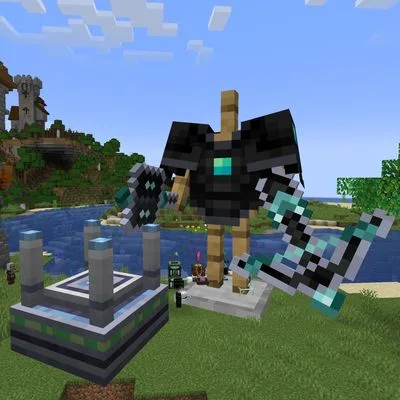
MODThe [LDS] Lazy Display Stand mod introduces a single display block designed for item exhibition and decoration. This block can be crafted using one glass pane in a shapeless recipe, or found in the Minecraft Redstone Blocks creative tab. Users interact with the block by right-clicking or sneak-right-clicking to access Display Settings, which include three tabs: Block, Display, and Animation. A 3D preview updates live to show changes, and a single slot allows placement of an item to be displayed.
The [LDS] Lazy Display Stand mod introduces a single display block designed for item exhibition and decoration. This block can be crafted using one glass pane in a shapeless recipe, or found in the Minecraft Redstone Blocks creative tab. Users interact with the block by right-clicking or sneak-right-clicking to access Display Settings, which include three tabs: Block, Display, and Animation. A 3D preview updates live to show changes, and a single slot allows placement of an item to be displayed.
The Block tab controls the display body's appearance, scale, rotation, and offset, offering options like Normal Block, Mimic Block, or Armor Stand. The Display tab manages the exhibited item's appearance, glowing effect, highlight, scale, rotation, and offset, supporting both flat item icons and 3D block models. The Animation tab offers settings for exhibit and body spin, bob, and orbit. Animation is driven by game time, ensuring consistent visual phases for all players. This mod can display any item, including those from other mods, as long as a model is available.
![[LDS] Lazy Display Stand — [LDS] Lazy Display Stand screenshots 1–3](https://media.startmod.dev/catalog-images/minecraft/cf-1215469/lazy-display-stand-diagonal-01-5c864a20113e.webp)