Better HUD Mod 1.7.10–1.12.2
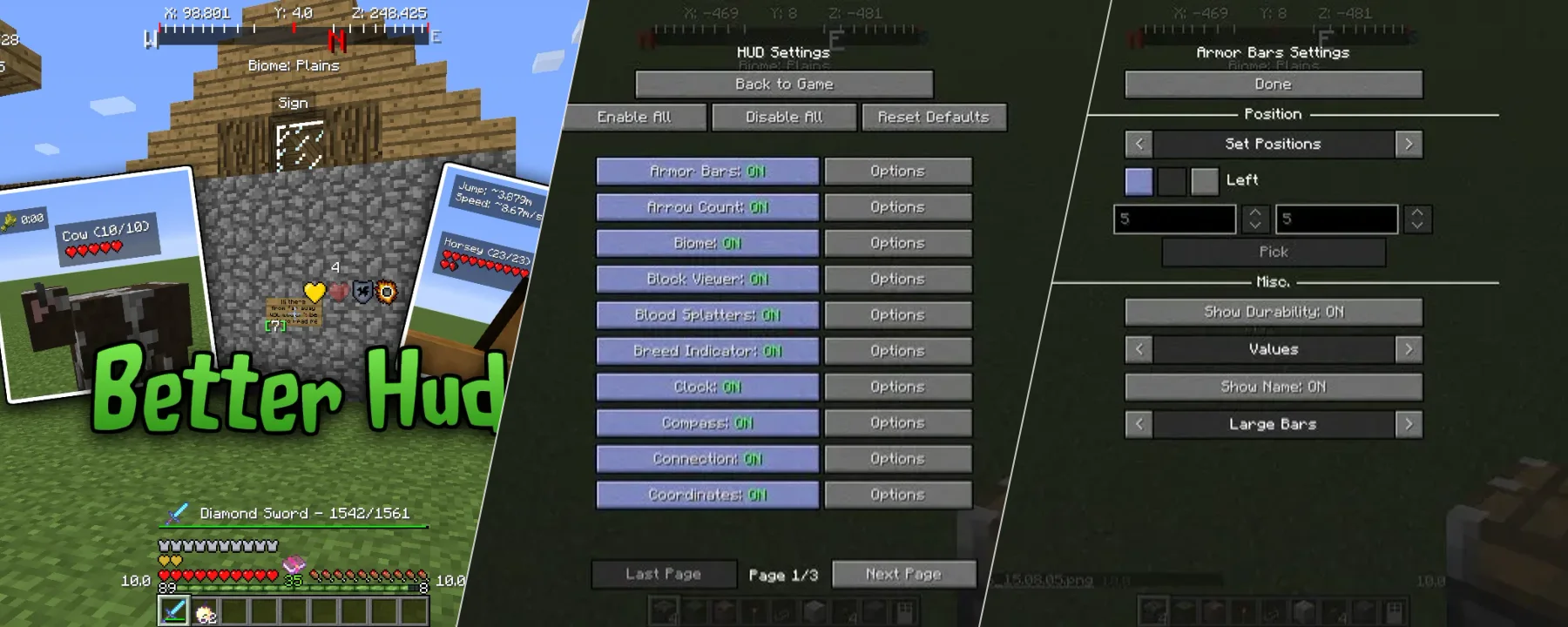
MODBetter HUD offers extensive customization options for the in-game display. Its purpose is to allow users to rearrange existing interface elements, add new ones, remove others, and fine-tune their appearance. The mod includes a precise positioning system and individual tweaks for each element. The settings menu, accessible by default with the 'U' key, provides control over everything on screen, including the crosshair. Users can enable or disable widgets and access further options and positioning settings for each.
Better HUD offers extensive customization options for the in-game display. Its purpose is to allow users to rearrange existing interface elements, add new ones, remove others, and fine-tune their appearance. The mod includes a precise positioning system and individual tweaks for each element. The settings menu, accessible by default with the 'U' key, provides control over everything on screen, including the crosshair. Users can enable or disable widgets and access further options and positioning settings for each.
This modification features a total of 40 configurable widgets. Users can move and configure vanilla elements like the hotbar, health, and hunger bars in beta-1.4 and later versions. New widgets include an on-screen compass, armor status, item pickup tracker, and blood splatters. There are no explicitly stated requirements beyond being in beta-1.4 or later for certain vanilla element features. The mod can be used in modpacks.