Accents Mod 1.20.1–1.21.11
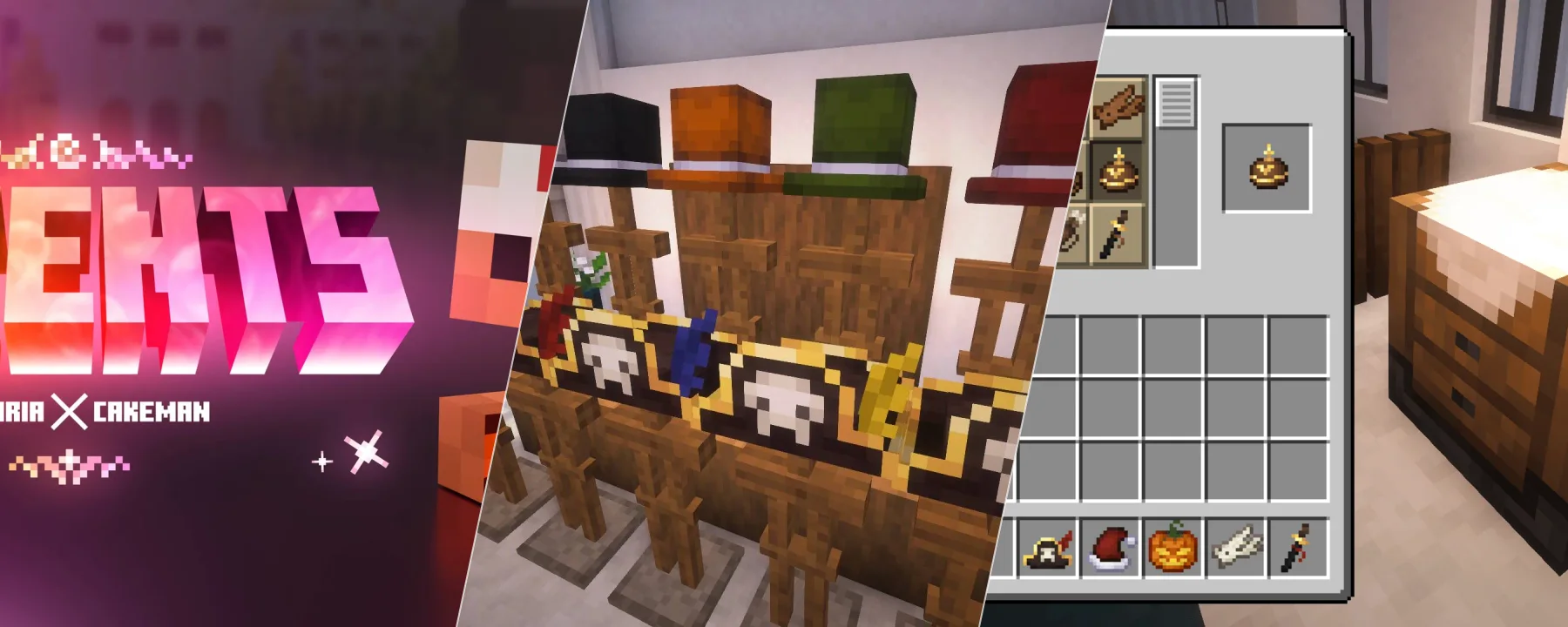
MODAccents is a mod focused on visual expression, adding items like hats, accessories, and back-mounted items. These pieces are designed to complement a character's appearance rather than replace armor or equipment. Each accent can be dyed, though the extent of colorable areas varies per item, ensuring designs remain readable while offering customization. For example, a Top Hat can be fully recolored, whereas a Pirate Hat only allows changing its feather. The mod also integrates with appearance-only armor mods like Cosmetic Armor Reworked, allowing users to hide or style armor separately while still displaying accents for their visuals.
Accents is a mod focused on visual expression, adding items like hats, accessories, and back-mounted items. These pieces are designed to complement a character's appearance rather than replace armor or equipment. Each accent can be dyed, though the extent of colorable areas varies per item, ensuring designs remain readable while offering customization. For example, a Top Hat can be fully recolored, whereas a Pirate Hat only allows changing its feather. The mod also integrates with appearance-only armor mods like Cosmetic Armor Reworked, allowing users to hide or style armor separately while still displaying accents for their visuals.
Beyond aesthetics, Accents provide small, situational bonuses that enhance gameplay without overshadowing core progression; a Sheathed Katana, for instance, grants +5% damage when worn on the back. The mod includes built-in compatibility with Curios API and Trinkets API, which allows certain accents to become trinkets equippable in dedicated slots if these mods are installed. Without them, all accent items still function normally. All bonuses from accents can be adjusted via a config file. In-game configuration menus are available on Minecraft 1.20.1 when using Forge Config Screens or Configured, and are available out of the box from Minecraft 1.21.1 onwards.